The Settings You Didn't Pick: A First-Week Audit for New Software
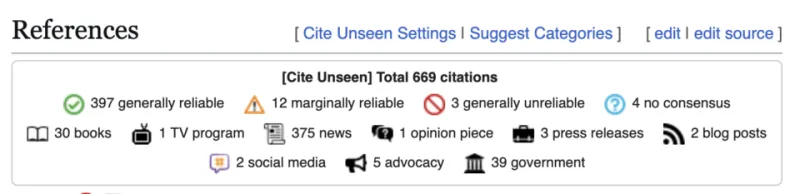
Photo: Kevin Payravi, CC BY-SA 4.0, via Wikimedia Commons
Somewhere in your stack there is a setting you did not choose. A sharing link that defaults to anyone with the URL. A retention rule that keeps deleted files for ever. A telemetry switch that was on before you logged in. An AI assistant that started summarising meetings because it was part of the package.
None of these are scandals on their own. Together they form a quiet policy: the vendor's idea of how your organisation should work. If nobody reviews it, that idea becomes yours by accident.
A default is a decision with a logo
Software vendors ship defaults for adoption. They want the product to feel useful on day one, so features arrive enabled, sharing is frictionless and data collection is broad enough to improve the service. That is a reasonable commercial choice. It is not a neutral starting point for a UK small business handling client data, staff records or commercially sensitive documents.
The problem is timing. Defaults are easiest to change before people build habits. After a month, the shared link is how the team sends files. The AI feature is in every meeting invite. The retention rule is protecting old work nobody remembers. At that point, changing the setting is not configuration; it is a small change programme.
Why small teams miss it
Large organisations have a joiners, movers and leavers process, a change board and someone whose job title includes the word governance. Small teams have a Friday afternoon and a login. The rollout is often: buy the tool, invite the team, connect the drive, move on.
That is not careless. It is proportionate to the pressure. But it leaves the most consequential settings in the hands of whoever designed the onboarding flow. UK GDPR accountability does not require a 40-page policy for a 12-person company, but it does require you to know what you have switched on and why. 'The vendor set it that way' is not a great answer if something goes wrong.
The first-week defaults audit
This is not a full security review. It is a focused pass through the settings that shape how data moves, who can see it and how long it stays. Do it in the first week, before the team settles in.
Identity and access
- Is single sign-on available, and is it actually enforced?
- Is multi-factor authentication on for admins and, ideally, everyone?
- How many global admins are there? Should there be that many?
- Are guest accounts and external collaborators allowed by default?
- How long do sessions last, and can you shorten them?
Sharing and external access
- What is the default link type: private, organisation-only or anyone with the link?
- Do links expire by default, or only if someone remembers?
- Can users share with external domains without approval?
- Are public links discoverable or indexed?
- What happens to shared links when someone leaves?
Retention, deletion and export
- What is the default retention period for files, messages and logs?
- Can users permanently delete data, or does it linger?
- Is there a legal hold or preservation option?
- Can you export your data in a usable format, and how long does that take?
- Where is the data stored, and does that match what you told clients?
AI and telemetry
- Are AI features on by default? What data do they process?
- Does the vendor use your content to train models, and can you switch that off?
- Is telemetry limited to product usage, or does it include content?
- Are meeting recordings, transcripts or summaries created automatically?
- Who reviews AI output before it affects a customer or a contract?
Logging and integrations
- Is the audit log on, and how long is it retained?
- Can you see who shared what with whom?
- Which integrations are pre-approved, and what scopes do they request?
- Can a user connect a third-party app without admin approval?
Ask better questions than 'is it secure?'
'Is it secure?' invites a yes. Ask instead:
- What is the default, and what changes if we leave it?
- Who can turn this on or off?
- Where does the data go when this feature is used?
- How would we evidence this decision later?
- What happens to existing data if we change the setting now?
Write the answers down. If you accept a default, note why. 'Accepted because we need external sharing for client review, reviewed quarterly' is a policy. 'Didn't notice' is not.
Make the decision visible
Keep a simple settings register: tool, setting, default, decision, owner, date reviewed. It can be a spreadsheet. The point is not bureaucracy; it is memory. When someone asks why the CRM keeps deleted records for seven years, you can point to a decision rather than a shrug.
Then put the register in your onboarding checklist. New tool? First-week audit. New admin? Read the register. Vendor changes a default? Log it and decide again. Defaults move. A setting that was off at launch can quietly become on in a product update.
Seal it down before habits form
This is not about distrusting vendors or switching everything off. It is about noticing that configuration is policy. The tool will still work with sharing restricted, telemetry limited and AI features paused until you have read the terms. In fact, it will work more predictably.
Small UK teams do not need a governance department to do this. They need one hour, a checklist and the willingness to ask who chose the setting. If the answer is 'the vendor', that is fine — as long as the next answer is 'and we decided to keep it'.